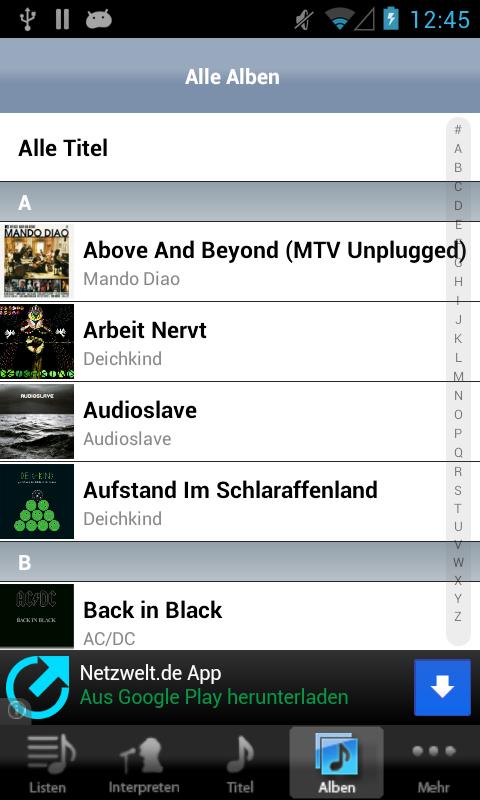
aPod is your iPod-like player for android (incl. coverflow). Check it out now!
Mediaplayer with the look of the iPhone/iPod Touch UI.
Join us on
- Twitter: http://goo.gl/31LtX
- Facebook: http://goo.gl/xvnqh
Following functions are implemented:
- Flexible play, shuffle and repeat modes
- Continuous Play
- Widgets : 4x1 | 4x1 | 4x4
- Coverflow
- Playlist / Playlist Creation
- Album art support
- Plays all media types supported by core Android (MP3, Ogg Vorbis, M4A, 3GP, MIDI, Wave) and some device specific (WMA, FLAC), but only on devices which support them
- Swipe gestures (rigth/left in player = previous/next song)
- Alphabetical scrollbar
- Check for new updates (internet permission)
- Download album artworks via Last.fm (Beta)
- Set song as ringtone/alarm (settings permission)
- Equalizer
- Bass Boost
- Reverb
FAQ
1. Playlists
How to create playlists?
In "Playlists" you can find "current playlist". The following steps show how to add songs:
1. Long press on the desired song
2. In the upcoming menu you can choose "Replace list" to create a new playlist with this song or "Insert in list" to append the song as last element to the existing playlist
3. Repeat steps 1. and 2.
4. To play your playlist go to "Playlists" --> "Current Playlist"
5. Choose one of the listed songs and the playlist begins to play
How to save my current playlist?
1. Long press on "current playlist"
2. In the upcoming menu choose "Save as ..."
3. Type a new name
4. And press "save"
How to change the song order in playlists?
1. Long press on the preferred playlist
2. In the upcoming menu choose "Edit"
3. and rearrange the songs per drag&drop
- bugfixes
v1.1
- repeat bug fixes
Read more