Music folder player with some kung-fu added
After trying a bunch of music players and mailing my suggestions to their authors I've ended up with writing a small one suiting my own preferences.
This player differs from the 'Music' apps that group files by album, artist, etc. And it even differs from other Folder/Playlist-type apps.
That's what you can do:
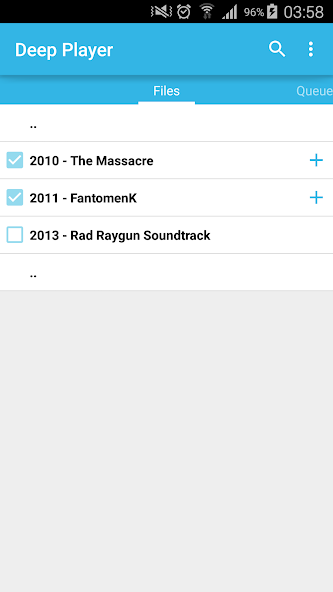
• if you don't like a couple of songs on the otherwise great album, just un-check these files and even directories;
• tap on a file to play it and all the other checked files in the current directory;
• long tap on a directory to playback every checked file in every checked sub-directory (useful with discography folders);
• long tap on any file to start playback looped under custom parent directory;
• press the "time left" label to fast forward, and the "elapsed time" label to rewind.
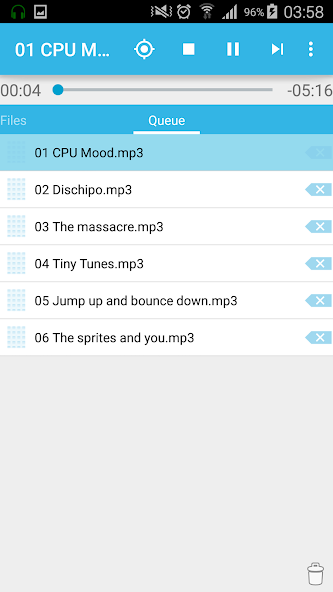
There is also a Queue tab (AKA playlist), in case you want to listen some particular songs or albums from completely different file locations.
• touch a 'plus' button to add checked files/folders to the end of queue, or long touch the button to add it after the current file.
• drag left handle to rearrange the queue
You can play any file/directory on Files tab without affecting the queue.
Plus, there are:
• quick search in the current directory (only on Files tab for now);
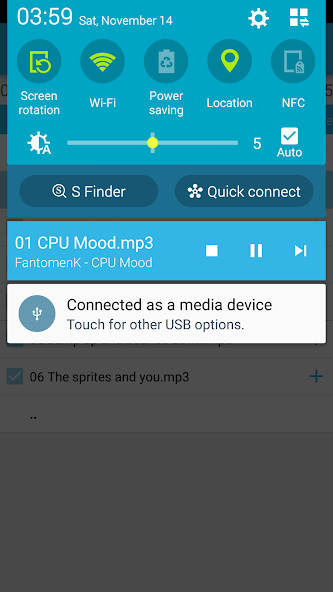
• notification player controls;
• pause/resume on headphones unplug/plug;
• controls are on the top of the screen, so you can reach them while holding a phone with one hand.
More features to come!
Please note that you need to check a root music folder first!
No Ads. And will never be.
Read more