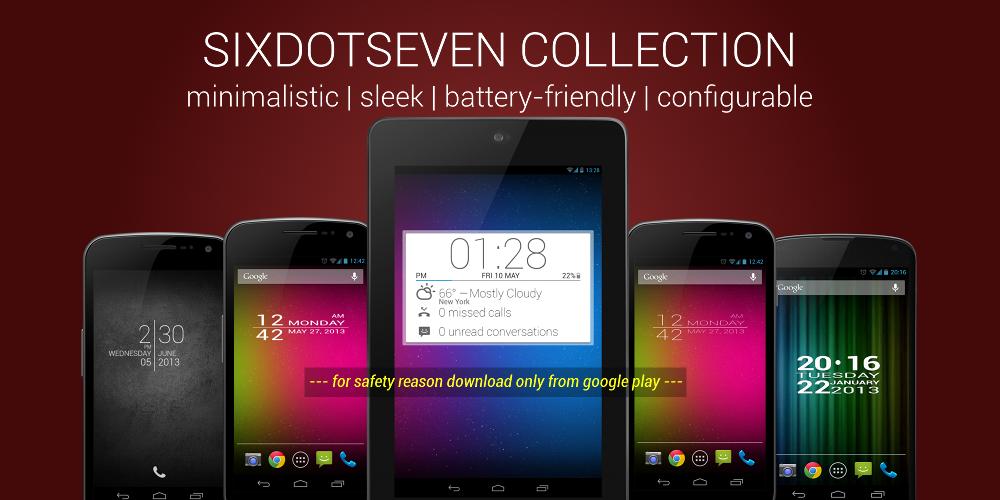
SIXDOTSEVEN COLLECTION. Google Play DOT7 BLOCK CLOCK LITE is a minimalistic and sleek designed home screen digital clock and date widget with size of 4x1. You can usw it for your home screen or also lock screen. It's designed battery friendly. Support device language and work with Jelly Bean.
Use this lite version to check before buy. Full version with app launcher for alarm clock, calendar or any app you like.
--- Now with new font style (full version) ---
More great clock widgets, here on Google Play:
☞ http://goo.gl/XY5rx
HOW TO:
App launcher for time and date(weekday). The first time you tap on 'time', you will see a list of your applications. Select an application (Alarm Clock, Calendar, ...), that will launch next time. Do it same for weekday/date.
PLEASE NOTE:
* If you're using killer apps, add the service ClockUpdateService to the ignore list.
* This is a homescreen widget and not a regular application: It does not "run" from the Applications Drawer, in fact you won't even find its icon there, when the install completes.
To put the widget on your homescreen:
➀ Long press empty space
➁ Select Widgets (see screnshot #4)
➂ Select BlockClock (see screnshot #5)
Thanks for your comments and also check out other great and best clock widgets by sixdotseven, here on the market!
Read more